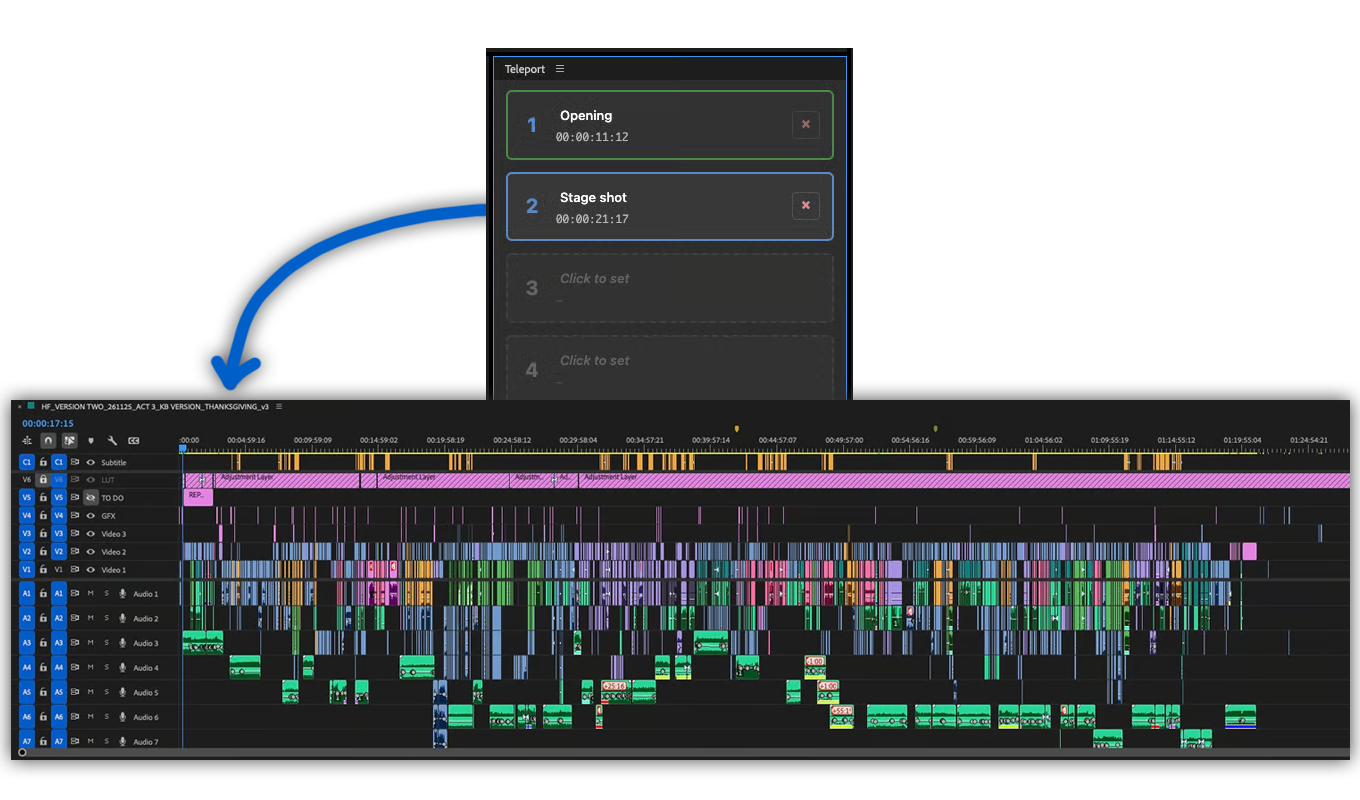
If you've ever worked with a director who wants to quickly grab a shot from scene two and move it to scene twelve, then you know what to do. You have to zoom out, scroll across a lot of clips to find the shot, move it, and then...where was I again? The Teleport plugin for Premiere Pro solves this issue.
untuk Adobe Premiere CC 2022+
Untuk Windows dan MacOS.
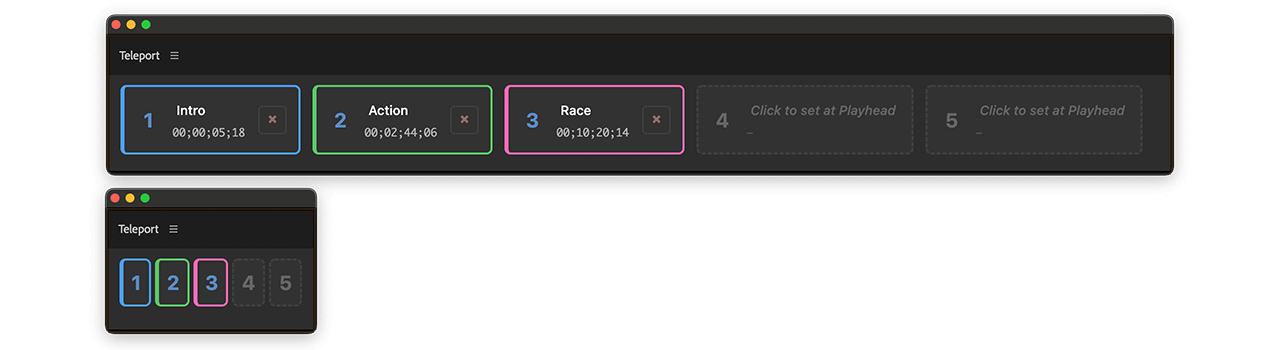
Teleport lets you drop a digital anchor anywhere in your timeline, allowing you to instantly jump back to that exact frame. No more searching for colored markers or memorizing timecodes!
How it works:
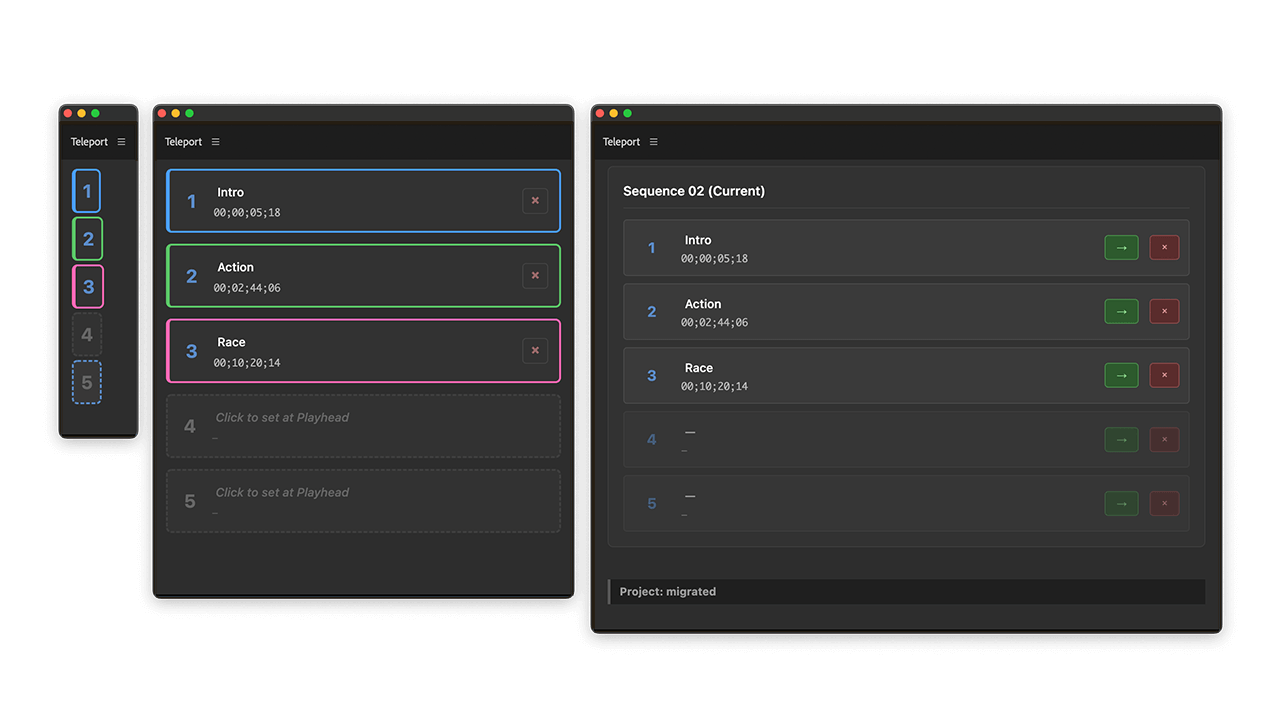
You can choose in between five different panel modes:
The "All timelines" view allows you to see all the anchors across your different project sequences, and enables you to easily jump to a position in other sequences.
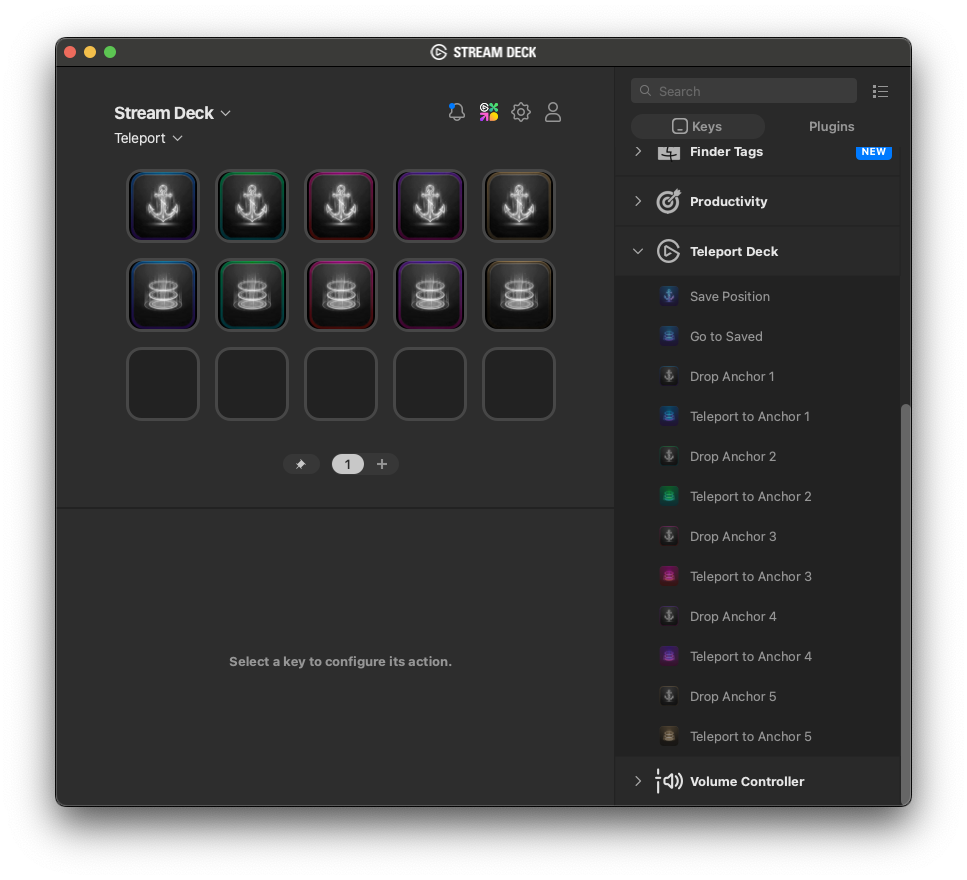
Download and install the Teleport Stream Deck add-on by opening the file with Stream Deck. Then, drag and drop the Anchor and Teleport buttons into your desired positions in the layout. You are now ready to start using the plugin.
We offer three types of licenses. The single-user license is ideal for freelancers who want to use the software on one or two computers. This license is tied to a single account. For companies, we offer a team license, which is bound to the company. The number of licenses can be chosen upon purchase, with a minimum of three licenses. We also offer an enterprise option. Please contact our sales team for more information. All licenses are perpetual.
Harap diperhatikan: Plugin sendiri saat ini hanya tersedia dalam bahasa Inggris.
Anda akan dialihkan ke checkout "Paddle" yang aman. Paddle.com adalah Merchant of Record.
Reverse-Charge: Jika Anda membeli untuk perusahaan dan memiliki ID PPN, Anda mungkin dapat menggunakan prosedur reverse charge di beberapa negara. Di halaman checkout, klik "Add VAT ID" di sebelah kiri setelah memilih negara dan kode pos Anda.
Lisensi tim bisnis tidak dapat dibeli melalui Adobe Exchange Store.
Jika Anda memiliki pertanyaan atau permintaan fitur, silakan hubungi tim dukungan kami. Kami akan dengan senang hati membantu Anda!
To install the plugin, use an ZXP Installer like ZXP Installer from AE Scripts or Anastasiy Extension Manager. These installers are free.
If you already have the plugin installed and want to install a new version of the plugin, you can simply run the new installer. It is not necessary to uninstall the old version, the new one will overwrite everything.
You can activate the plugin panel in Premiere Pro menu under "Window > Extensions > Teleport".
Download and install the Stream Deck add-on to your Stream Deck application. Then, drag and drop the Anchor and Teleport buttons into their desired positions in the layout. If set up correctly, it should work instantly with the Premiere Pro panel.
If no clip is selected in the Timeline when you drop an anchor, Teleport will record the current timecode at the playhead's position.This will teleport you back to the same sequence timecode location each time.
If a clip is selected, the source timecode and clip name will be stored in the anchor. You will then be teleported back to that position within the clip, no matter where it has been moved in the timeline. If the clip has been deleted, Teleport will issue a warning. If the clip has been trimmed to remove the anchor timecode from the sequence, Teleport will take you to the first frame of the clip.
All anchors are sequence-specific, even if you rename the sequence because Teleport uses Premiere's internal ID system.
Yes. It also works on air-gapped systems.
Tidak, data Anda akan tetap berada di komputer Anda.
Ya. Plugin ini dirancang untuk mendukung semua jenis proyek, termasuk produksi yang sangat dibatasi dengan NDA yang telah ditandatangani. Plugin tidak akan membagikan data apa pun ke perangkat selain milik Anda sendiri.
Tutup lalu buka kembali panel. Langkah ini akan memuat ulang plugin dan seharusnya mengatasi masalah. Jika tidak berhasil, coba mulai ulang Premiere atau instal ulang pembaruan plugin terbaru.
Kami mengujinya pada Premiere 2021, 2022 dan 2023. Versi yang lebih lama mungkin juga berfungsi, namun kami tidak dapat menjaminnya saat ini. Jika Anda menggunakan versi Premiere yang lebih lama, beri tahu kami bagaimana pengalaman Anda.
Plugin ini dikembangkan untuk Windows 10 dan MacOS 12 (Montery). Plugin ini tidak mengecualikan versi lain untuk saat ini, namun kami tidak dapat mengecualikan masalah uji coba saat menggunakan versi sebelumnya. Jika Anda menggunakan sistem operasi lama, beri tahu kami bagaimana pengalaman Anda.
Jika Anda membeli plugin tanpa membuat akun, ada dua cara untuk mengunduh pembaruan atau mengunduh ulang plugin. Opsi tercepat adalah membuat akun gratis menggunakan alamat email yang terkait dengan pembelian Anda. Dengan begitu, lisensi yang dibeli akan otomatis ditautkan ke akun Anda. Setelah masuk, Anda dapat menemukan plugin di bagian Pembelian dan mengunduhnya lagi. Jika plugin Anda tidak terlihat, klik "Tautkan ulang pembelian". Perlu diketahui bahwa plugin hanya dapat ditautkan ulang secara otomatis jika alamat email yang digunakan sama. Opsi lainnya adalah menghubungi tim dukungan kami dan meminta tautan unduhan baru. Namun, proses ini mungkin memerlukan waktu.
Jika Anda membutuhkan fitur baru, opsi baru, atau versi plugin yang disesuaikan, silakan kirimkan pesan kepada kami. Kami menawarkan solusi khusus untuk bisnis.
On Windows the extension can be easily uninstalled under "Add/Remove Programs".
On MacOS the extension can be easily uninstalled by deleting the folder "/Library/Application Support/Adobe/CEP/extensions/Teleport".